
The Startup DevOps Checklist: 15 Fixes to Make Before You Scale
The Startup DevOps Checklist: 15 Fixes to Make Before You Scale Your startup might survive a bad product decision. It may even survive a failed mar...
The Startup DevOps Checklist: 15 Fixes to Make Before You Scale
Your startup might survive a bad product decision.
It may even survive a failed marketing campaign, a delayed launch, or a rough quarter.
What it probably will not survive is unreliable infrastructure during a sudden growth spike.

The pattern is painfully familiar:
Traffic increases. Deployments become stressful. Engineers stop releasing on Fridays. Then they stop releasing on Thursdays, too. Critical production knowledge lives inside one engineer’s head—and naturally, that engineer is unavailable when the database falls over.
Scaling infrastructure is not about adopting every enterprise tool as early as possible. It is about creating systems your team can trust.
You need to be able to:
- Deploy changes safely
- Recover from failures quickly
- Protect customer data
- Understand what is happening in production
- Scale without turning every week into an emergency
This checklist covers the 15 DevOps foundations startups should address before entering their next stage of growth, including CI/CD, Infrastructure as Code, monitoring, cloud security, backups, incident response, Kubernetes, cost management, and operational ownership.
Use it as an internal roadmap—or as a framework for evaluating what your DevOps consulting partner should deliver.
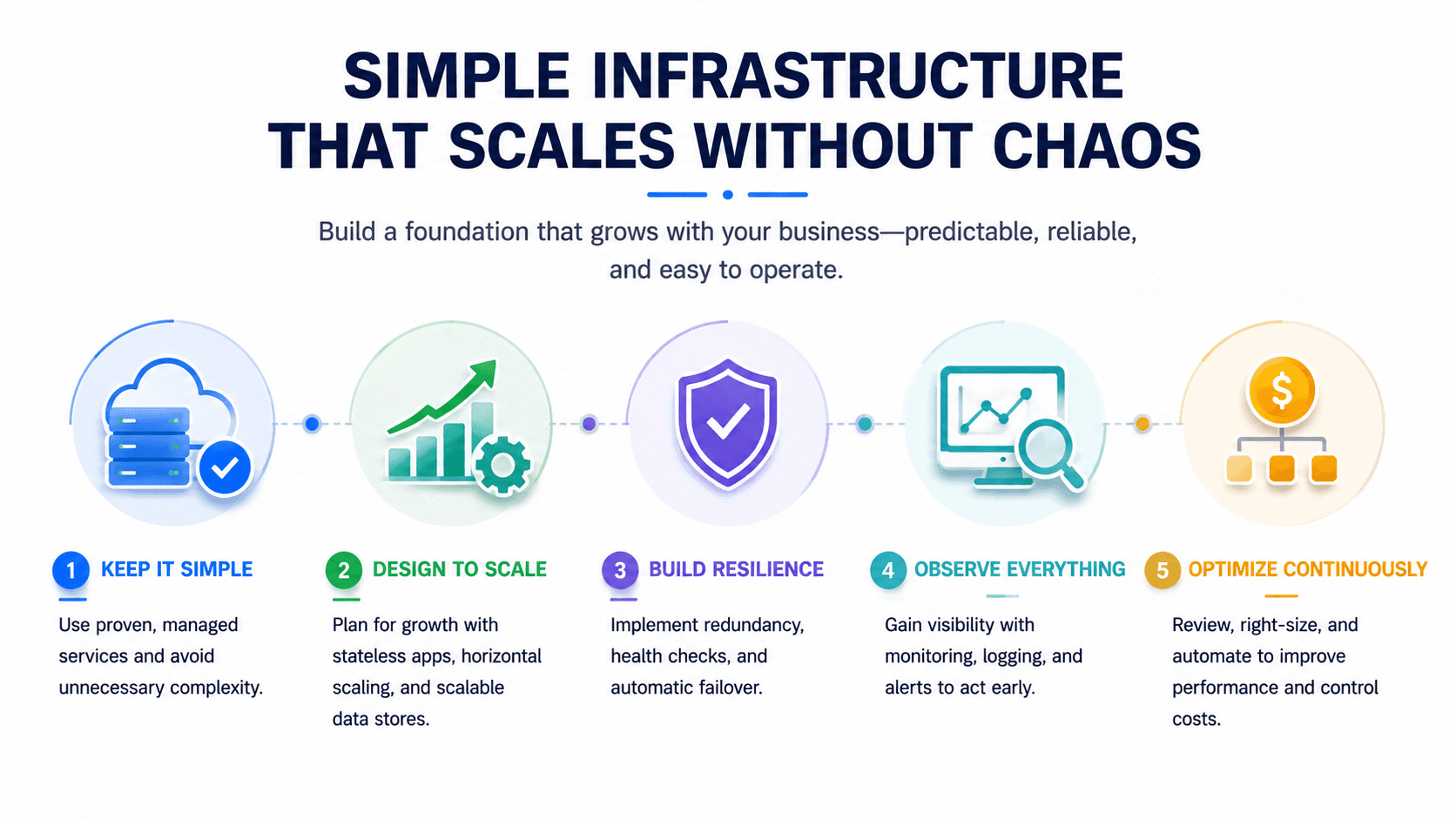
The goal is not to build the most complex infrastructure. The goal is to build the simplest infrastructure your team can operate reliably.
Table of Contents
- What a DevOps Readiness Assessment Measures
- The 15-Point Startup DevOps Checklist
- Before and After: What Ready to Scale Looks Like
- The Most Common Scaling Mistake
- Conclusion
- Frequently Asked Questions
What a DevOps Readiness Assessment Measures
A DevOps readiness assessment answers a simple but important question:
Can your engineering systems support five times the traffic, five times the team size, or five times the deployment frequency without breaking?
A mature assessment evaluates seven core areas.
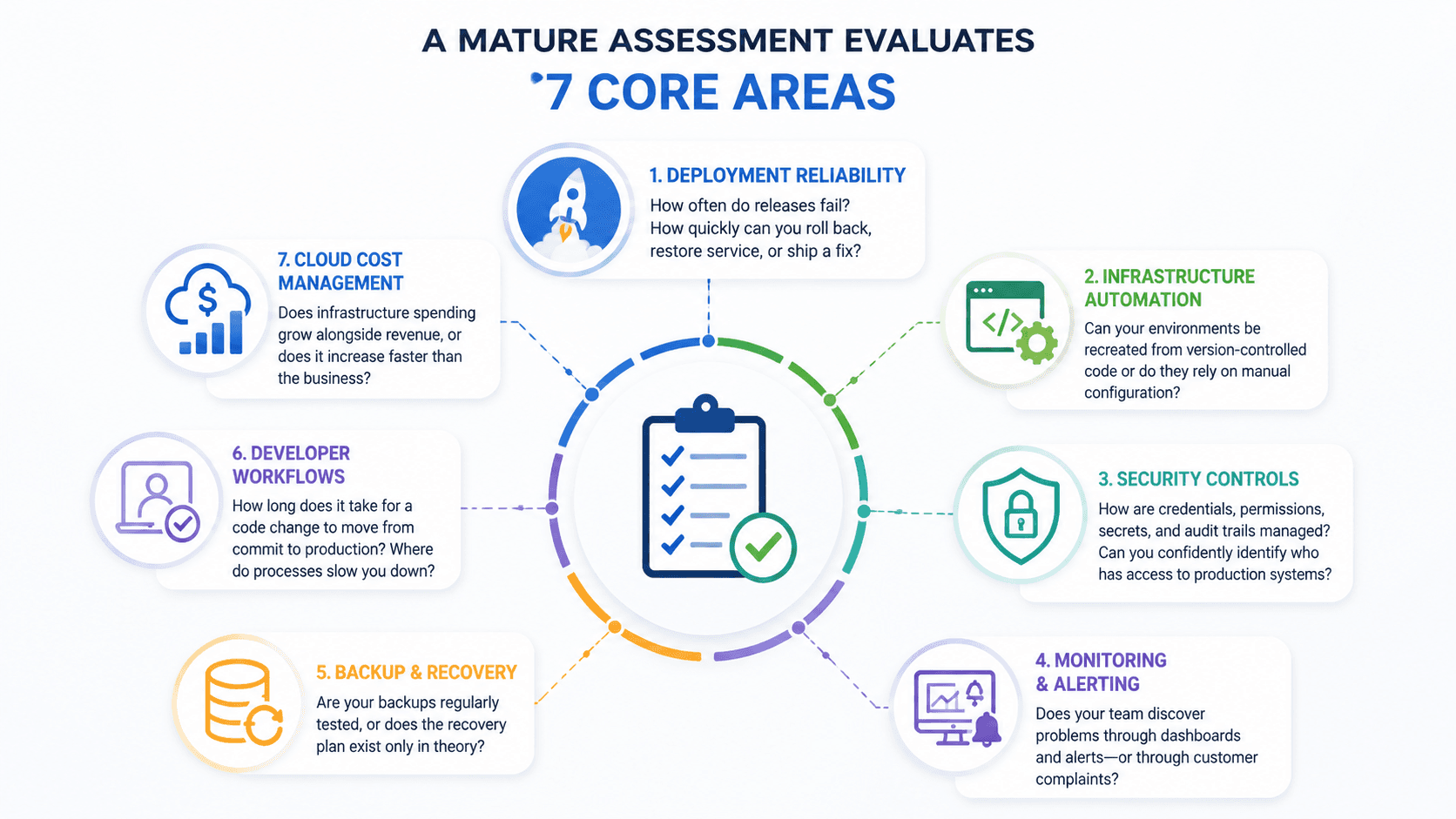
Deployment Reliability
How often do releases fail?
When something goes wrong, how quickly can the team roll back, restore service, or ship a fix?
Infrastructure Automation
Can your environments be recreated from version-controlled code, or do they depend on undocumented manual configuration?
Security Controls
How are credentials, permissions, secrets, and audit trails managed?
Can you confidently identify who has access to production systems?
Monitoring and Alerting
Does your team discover problems through dashboards and alerts—or through customer complaints?
Backup and Recovery
Are your backups regularly tested, or does the recovery plan exist only in theory?
Developer Workflows
How long does it take for a code change to move from commit to production?
Where do approvals, manual steps, or unreliable processes slow the team down?
Cloud Cost Management
Does infrastructure spending grow alongside revenue, or does it increase faster than the business itself?
Timing matters because manual systems often appear efficient when a startup is small.
A five-person engineering team may understand the entire platform and coordinate deployments informally. At 20 engineers, those same habits become bottlenecks. Knowledge becomes fragmented, environments drift apart, and every release introduces unnecessary production risk.
That is why DevOps maturity should begin before growth exposes the weaknesses.
The 15-Point Startup DevOps Checklist
Work through the following areas in order.
The first eight establish the operational foundation. The remaining seven help your organization strengthen, measure, and scale that foundation.
1. Build a Reliable CI/CD Pipeline
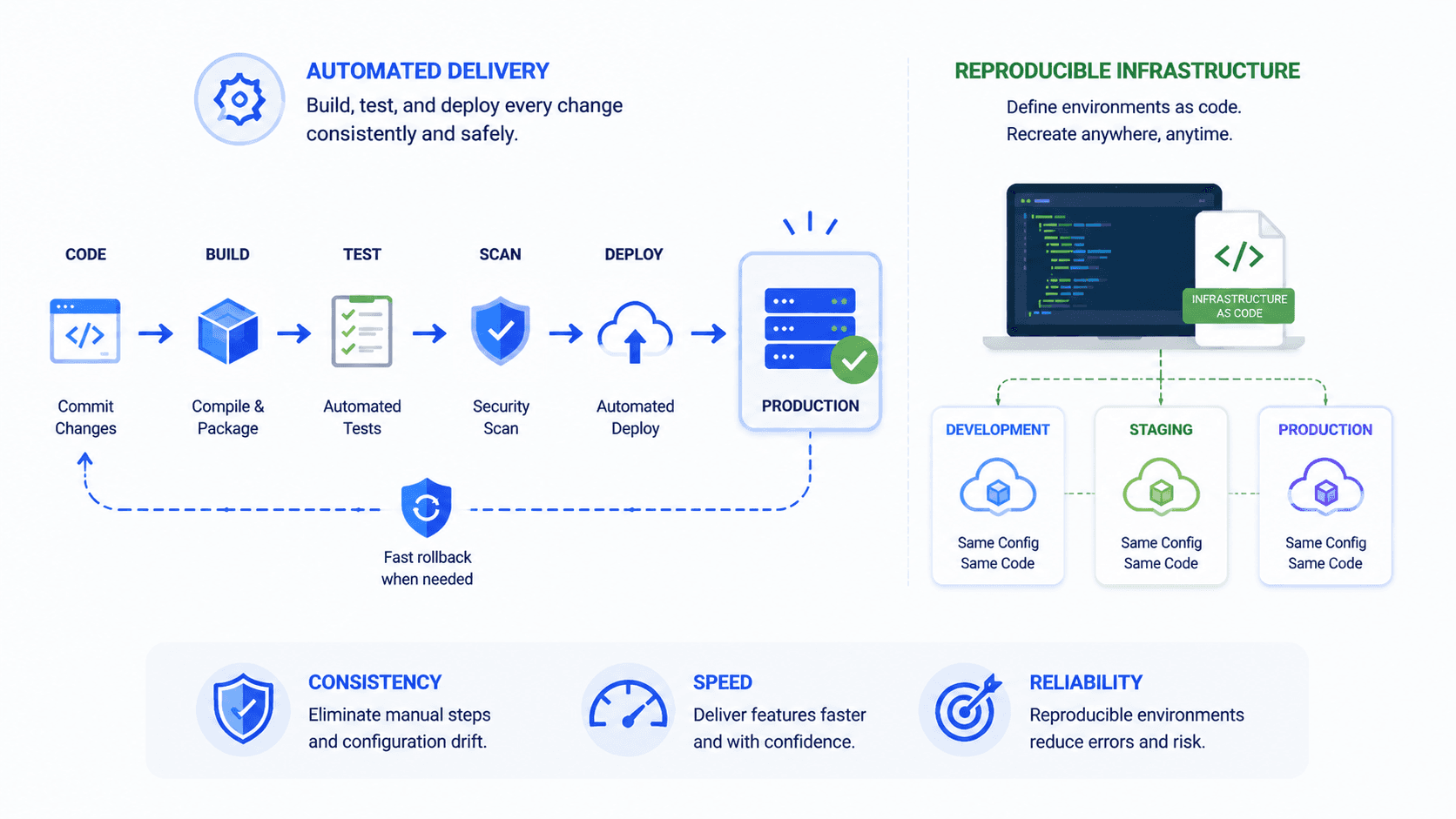
A Continuous Integration and Continuous Delivery pipeline automatically builds, tests, and deploys every code change.
Without one, deployment often means connecting directly to servers, running commands from memory, copying files manually, and hoping nothing was missed.
That process may work a few times. It does not scale safely.
A reliable CI/CD pipeline should:
- Run automated tests on every commit
- Build versioned application artifacts
- Scan dependencies and container images for vulnerabilities
- Apply consistent deployment steps across every environment
- Stop failed builds before they reach production
- Support fast rollback when a release causes problems
Common CI/CD tools include:
- GitHub Actions
- GitLab CI/CD
- Jenkins
- CircleCI
- Argo CD
- AWS CodePipeline
For Kubernetes-based environments, tools such as Argo CD, Helm, and Amazon EKS can support a GitOps-style deployment workflow.
Why It Matters
Imagine a SaaS company shipping five releases every week.
Manual deployment cannot support that pace reliably. One failed release may consume several hours of engineering time, interrupt product development, and damage customer confidence.
Automation makes delivery predictable.
And predictable delivery is exactly what a growing startup needs.
The best deployment process is boring, repeatable, and easy to reverse.
2. Adopt Infrastructure as Code
Infrastructure as Code, commonly called IaC, means managing cloud resources through version-controlled configuration rather than manual console changes.
Instead of clicking through dashboards to create servers, networks, databases, and security rules, your team defines those resources in code.
Popular IaC tools include:
- Terraform
- Pulumi
- AWS CloudFormation
- AWS Cloud Development Kit
- Ansible
Infrastructure as Code provides several important benefits.
Faster Environment Creation
Your team can create development, testing, or staging environments in minutes instead of spending days configuring them manually.
Better Auditability
Every infrastructure change can have:
- A commit
- An author
- A pull request
- A review
- A documented history
Less Configuration Drift
Manual changes cause production environments to slowly diverge from documentation and staging.
IaC keeps the real environment aligned with its defined configuration.
Easier Disaster Recovery
When infrastructure is defined in code, the infrastructure definition becomes part of your recovery plan.
You are rebuilding from a known configuration—not reconstructing the platform from memory.
Infrastructure as Code is also essential for a serious cloud migration strategy. You want to migrate reproducible infrastructure definitions, not recreate hand-built servers one at a time.
For startups pursuing SOC 2, ISO 27001, or enterprise security reviews, version-controlled infrastructure provides valuable evidence of change management and operational discipline.
3. Containerize Your Applications
Containers package an application together with its runtime, libraries, dependencies, and configuration requirements.
This helps eliminate the classic engineering problem:
“It works on my machine.”
With containers, development, staging, and production can run the same application package.
A pragmatic startup container stack might include:
- Docker for packaging applications
- Docker Compose for smaller or single-host environments
- Amazon ECS for managed container deployments
- Kubernetes only when the application genuinely requires orchestration at that level
Containerization improves:
- Environment consistency
- Deployment portability
- Dependency management
- Developer onboarding
- Application isolation
- Release repeatability
The common mistake is assuming that containers automatically mean Kubernetes.
They do not.
Many startups operate successfully for years using Docker, Docker Compose, or a managed container platform such as Amazon ECS.
Start with the least complex option that solves your current problem.
You can adopt Kubernetes later if your workload, service architecture, and team capabilities genuinely require it.
4. Implement Monitoring and Observability
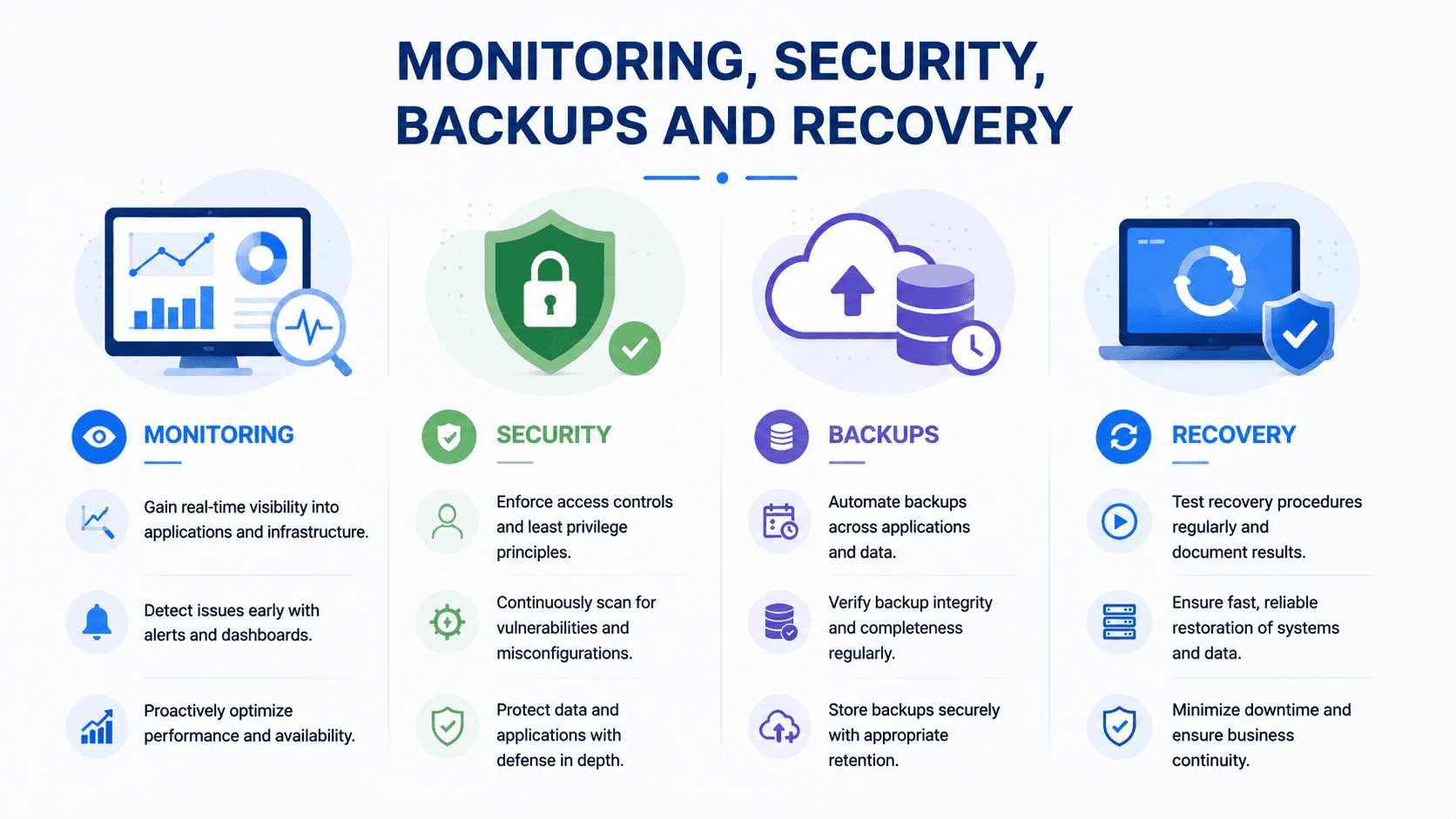
Scaling without visibility is how small technical problems turn into major outages.
Your team needs enough information to understand what is happening across the application, infrastructure, and customer experience.
At minimum, observability should cover four layers.
Application Error Tracking
Capture:
- Exceptions
- Stack traces
- Error frequency
- Affected users
- Release versions
- Request context
Tools such as Sentry can help engineering teams identify and prioritize application failures.
Infrastructure Metrics
Monitor:
- CPU utilization
- Memory usage
- Disk capacity
- Network saturation
- Database connections
- Queue depth
- Container health
Centralized Logging
Logs should be:
- Searchable
- Structured
- Correlated across services
- Retained for an appropriate period
- Protected from unauthorized access
Performance Dashboards
Your team should be able to view important indicators at a glance, including:
- Request latency
- Throughput
- Error rates
- Database response times
- Service availability
- Resource saturation
Popular observability platforms include:
- Prometheus
- Grafana
- Datadog
- New Relic
- Amazon CloudWatch
- OpenTelemetry
A Practical Example
Suppose a payments startup experiences increasing database latency every evening during peak traffic.
With proper dashboards, the team can identify the pattern, investigate capacity, and schedule a controlled improvement.
Without monitoring, the same problem appears as:
- Slow transactions
- Angry customers
- Support tickets
- Random engineering investigations
- Repeated production incidents
Monitoring turns mysteries into measurable engineering work.
5. Protect Secrets and Control Access
API keys, database passwords, encryption keys, and cloud credentials do not belong in:
- Source-code repositories
- Slack conversations
- Email threads
- Shared spreadsheets
- Local configuration files committed to Git
A minimum viable secrets and access strategy should include the following controls.
Use a Dedicated Secrets Manager
Options include:
- AWS Secrets Manager
- AWS Systems Manager Parameter Store
- HashiCorp Vault
- Native secrets provided by your CI/CD platform
Implement Role-Based Access Control
Access should be granted according to a person’s role and responsibilities.
Developers should not automatically receive administrator access to every system.
Enforce Multi-Factor Authentication
MFA should be required for:
- Cloud accounts
- Source-control platforms
- CI/CD systems
- Monitoring tools
- Password managers
- Administrative dashboards
Apply Least-Privilege Permissions
Every user and service should receive only the access required to perform its function.
“Nobody gets admin access just in case” is a healthy default.
Security debt compounds quickly.
Controls that take one day to establish with five engineers may require months of cleanup when the organization reaches 50 people.
6. Automate Backups—and Test Recovery
A backup strategy is not complete until recovery has been tested.
A backup that has never been restored is not a recovery system. It is an assumption.
A practical backup baseline should include:
- Automated daily database backups
- Clearly defined retention periods
- Encryption at rest and in transit
- Storage in a separate account, region, or protected location
- Regular restore testing
- Documented recovery procedures
- Assigned recovery ownership
- Agreed recovery objectives
Two important recovery metrics are:
- Recovery Time Objective (RTO): How quickly must the service be restored?
- Recovery Point Objective (RPO): How much data loss can the business tolerate?
Your engineering and business teams should agree on these targets before an incident occurs.
Restore tests should happen at least quarterly for critical systems.
The team should verify that:
- The backup is accessible.
- The backup is not corrupted.
- The data can be restored.
- The application can use the restored data.
- The recovery process meets the expected RTO and RPO.
Backups protect files. Tested recovery protects the business.
7. Separate Development, Staging, and Production
Clear environment boundaries prevent two common incident categories:
- Accidental production changes
- Untested code reaching customers
At minimum, your startup should maintain separate environments for:
- Development
- Staging or testing
- Production
Each environment should have its own:
- Credentials
- Configuration
- Access policies
- Data controls
- Deployment path
- Monitoring rules
Separate Credentials
A leaked development credential should never provide access to production systems or customer data.
Defined Deployment Paths
Code should reach production only through an approved CI/CD workflow.
Developers should not deploy directly from personal machines.
Controlled Production Access
Production access should be:
- Limited
- Logged
- Reviewable
- Revocable
- Protected with MFA
- Granted only when necessary
A well-designed staging environment gives engineers a safe place to test changes without placing the business at risk.
8. Improve Documentation and Ownership
When infrastructure knowledge exists only inside one engineer’s memory, that engineer becomes a single point of failure.
Documentation does not need to be perfect.
It needs to be current, usable, and available when the team is under pressure.
At minimum, document the following.
Deployment Procedures
Explain:
- How a release is triggered
- Which checks must pass
- Who can approve production deployment
- How to roll back a failed release
Incident Response Procedures
Document:
- Who takes ownership
- Which communication channels to use
- When customers should be notified
- How incidents are escalated
Architecture Decisions
Record:
- What was built
- Why it was built that way
- Which alternatives were considered
- What limitations or trade-offs remain
Recovery Runbooks
Provide step-by-step procedures for restoring:
- Databases
- Applications
- Infrastructure
- Credentials
- Critical integrations
Good documentation reduces onboarding time and transforms a 2 a.m. incident from panic into procedure.
As systems grow, a formal DevOps readiness assessment can help uncover ownership gaps before they become operational failures.

9. Establish Security and Compliance Foundations
Security should mature ahead of your customer base—not several months behind it.
The more customers, employees, integrations, and production systems you add, the more expensive security weaknesses become.
Core practices should include:
- Dependency scanning within CI/CD
- Container image scanning
- Vulnerability management
- Defined remediation timelines
- Quarterly access reviews
- Centralized audit trails
- Cloud configuration reviews
- Encryption for sensitive data
- Documented incident procedures
Conduct Regular Access Reviews
Employees change roles. Contractors finish projects. Vendors lose relevance.
Permissions should not remain active indefinitely.
At least quarterly, review:
- Cloud accounts
- Production access
- Source-control access
- Database permissions
- CI/CD permissions
- Third-party integrations
- Former employees and contractors
Define Vulnerability Remediation Timelines
Not every vulnerability has the same level of risk.
Create service-level targets based on severity. For example:
- Critical issues: immediate investigation
- High-severity issues: rapid remediation
- Medium-severity issues: scheduled resolution
- Low-severity issues: tracked and reviewed
Startups selling into healthcare, fintech, government, or enterprise markets should establish these controls before the first major security questionnaire arrives.
Trying to build the entire security program during an active sales process is expensive, stressful, and avoidable.
10. Control Cloud Costs
Cloud spending can grow faster than revenue when nobody is responsible for managing it.
Cost management should not be treated as a once-a-year finance exercise.
Review cloud spending every month.
Pay particular attention to the following areas.
Unused Resources
Look for:
- Orphaned storage volumes
- Idle virtual machines
- Old snapshots
- Forgotten test environments
- Unused load balancers
- Unattached IP addresses
- Abandoned databases
Database Sizing
Do not automatically scale databases vertically whenever performance declines.
First investigate:
- Query performance
- Missing indexes
- Connection management
- Read/write patterns
- Caching opportunities
- Storage performance
Storage Costs
Use lifecycle policies for:
- Logs
- Backups
- Object storage
- Database snapshots
- Archived data
Not every file needs expensive, high-performance storage forever.
Logging Expenses
High-cardinality logs, excessive debug output, and long retention periods can become surprisingly expensive.
Log what your team needs—but understand the cost of collecting, indexing, and retaining it.
Also establish:
- Monthly budgets
- Billing alerts
- Cost allocation tags
- Team or product ownership
- Regular cost reviews
Cloud cost surprises are usually discovered at the worst possible time.
11. Measure Reliability with Real Metrics
Mature DevOps teams measure performance instead of relying on assumptions.
A strong starting point is the DORA framework.
Track metrics such as:
Deployment Frequency
How often does your organization successfully release changes to production?
Change Failure Rate
What percentage of deployments cause incidents, rollbacks, hotfixes, or degraded service?
Mean Time to Recovery
How quickly can the team restore normal service after a production failure?
Lead Time for Changes
How long does it take for a committed code change to reach production?
You should also track service-specific reliability indicators such as:
- Availability
- Error rates
- Request latency
- Support-impacting incidents
- Recovery duration
- Failed deployment frequency
Review these metrics monthly.
Do not obsess over a single number.
The trend matters more than the snapshot.
If deployment frequency is increasing while failure rate and recovery time are falling, your operational system is becoming healthier.
12. Build an Incident Response Process
Production incidents are inevitable.
The difference between an immature organization and a mature one is not whether incidents happen. It is how quickly the team responds, communicates, recovers, and learns.
A basic incident response process should establish the following.
Incident Ownership
Assign a designated incident commander.
This person coordinates the response, keeps the team focused, and ensures that responsibilities remain clear.
Communication Procedures
Define:
- The internal incident channel
- Who must be informed
- When leadership should be involved
- When customers should receive updates
- Who publishes the final status
Blameless Postmortems
A postmortem should focus on:
- What happened
- Why existing safeguards failed
- What made detection slow
- What made recovery difficult
- Which system changes can prevent recurrence
The purpose is not to identify the person who made the last change.
The purpose is to understand why one action was able to create a serious failure.
Tracked Follow-Up Actions
Postmortem action items should have:
- Clear owners
- Priorities
- Due dates
- Status tracking
- Management visibility
An incident process without completed follow-up work is just documentation.
Teams that punish incidents do not eliminate incidents. They encourage people to hide them.
13. Decide When Kubernetes Actually Makes Sense
Kubernetes solves real operational problems.
It also creates new ones.
Running Kubernetes responsibly requires expertise in:
- Cluster upgrades
- Networking
- Service discovery
- Ingress
- Security policies
- Secrets management
- Monitoring
- Resource management
- Autoscaling
- Backup and recovery
Kubernetes earns its place when:
- You operate many services with independent scaling requirements
- You need advanced scheduling or workload orchestration
- You require sophisticated autoscaling
- You deploy across multiple clusters or environments
- You have—or plan to hire—dedicated platform expertise
Kubernetes may not be the right choice when:
- You operate only a few services
- Your team is small
- Your deployment requirements are straightforward
- A managed container platform already solves the problem
- Nobody has time to maintain the cluster properly
Do not adopt Kubernetes because successful enterprise companies use it.
Adopt it when your actual workload requires orchestration—and when your team is prepared to operate it.
14. Automate Repetitive Engineering Work
Every recurring manual task is a tax on engineering output.
A task that consumes 20 minutes may not seem important. But if five engineers repeat it several times each week, the cost grows quickly.
High-value automation targets include:
- Automated testing at every pipeline stage
- Environment creation through Infrastructure as Code
- One-click or fully automated deployments
- Automated rollback procedures
- Security scanning within CI/CD
- Dependency updates
- Database migration checks
- Log collection
- Backup verification
- Compliance evidence collection
When choosing what to automate, ask:
- How often is the task repeated?
- How much time does it consume?
- How frequently does human error occur?
- Does it block other engineers?
- Does it create production risk?
The best automation does not simply remove clicks.
It improves safety, consistency, and engineering focus.
The test for useful automation is simple: does it give your engineers meaningful time back every week?
15. Run Regular DevOps Readiness Assessments
Infrastructure requirements change as your startup grows.
A system designed for 10 customers may not support 1,000 customers.
A deployment process built for three engineers may collapse when 30 engineers contribute code.
Review DevOps readiness quarterly—or before major business milestones such as:
- A funding round
- A major product launch
- An enterprise contract
- A compliance audit
- A cloud migration
- A significant traffic increase
- International expansion
Each assessment should identify:
- Current operational risks
- Single points of failure
- Missing automation
- Security weaknesses
- Documentation gaps
- Ownership gaps
- Cost inefficiencies
- Scaling limitations
- Recovery risks
- Unnecessary technical complexity
The output should not be a vague maturity score.
It should be a prioritized roadmap with:
- Clear recommendations
- Business impact
- Estimated effort
- Responsible owners
- Target completion dates
Before and After: What “Ready to Scale” Looks Like
| Area | Before Scaling | Ready for Growth | | ------------------ | ---------------------------------------------- | ----------------------------------------------------- | | Deployment | Manual releases and undocumented steps | Automated CI/CD pipeline with rollback support | | Infrastructure | Console changes performed by hand | Version-controlled Infrastructure as Code | | Monitoring | Reactive debugging after customer complaints | Dashboards, alerts, logs, and proactive detection | | Backups | Occasional exports with no restore testing | Automated backups with verified recovery procedures | | Security | Shared credentials and excessive permissions | RBAC, MFA, least privilege, and auditable access | | Documentation | Critical knowledge stored in one person’s head | Current runbooks, ownership, and architecture records | | Incidents | Unstructured response and repeated failures | Defined ownership, communication, and postmortems | | Cloud Costs | Surprise bills and unused resources | Budgets, alerts, tagging, and regular optimization | | Reliability | Decisions based on intuition | DORA metrics and measurable service objectives | | Scaling | Adding tools whenever pressure increases | Introducing complexity only when justified |
The Most Common Scaling Mistake
One of the biggest startup infrastructure mistakes is adopting enterprise complexity too early.
More tools do not automatically create better infrastructure.
Often, the opposite happens.
Premature complexity can:
- Slow down development
- Increase cloud costs
- Create larger attack surfaces
- Require skills the team does not have
- Make incidents harder to diagnose
- Add maintenance work without improving reliability
A startup does not need every platform used by a global technology company.
It needs a system that matches its:
- Current workload
- Team size
- Business risk
- Customer commitments
- Compliance requirements
- Growth plans
The goal is not to build the largest technology stack.
The goal is to build the simplest reliable system that supports the business today and can evolve tomorrow.
Conclusion: Discipline Scales Better Than Complexity
Startups that scale successfully tend to share the same operational foundations:
- Automated delivery
- Reproducible infrastructure
- Strong monitoring
- Secure access
- Tested recovery
- Clear ownership
- Measurable reliability
- Controlled costs
None of these practices are particularly glamorous.
They do not create exciting launch announcements.
They do something more valuable: they allow your engineering team to keep shipping when traffic increases, the team expands, customers become more demanding, and the cost of failure becomes much higher.
You do not need perfect infrastructure before you grow.
You do need infrastructure that is understandable, recoverable, secure, and repeatable.
Growth should increase your customer base—not your number of production emergencies.
Not sure where your infrastructure gaps are?
Book a free infrastructure audit with CodeToKloud and receive a prioritized DevOps readiness report for your application, cloud environment, and engineering workflow.
Frequently Asked Questions
What Is a DevOps Readiness Assessment?
A DevOps readiness assessment is a structured review of whether a startup’s infrastructure, automation, security, deployment workflows, monitoring, and operational processes can support growth.
It identifies risks, bottlenecks, single points of failure, and scaling limitations before they cause major production incidents.
When Should a Startup Create a CI/CD Pipeline?
A startup should introduce CI/CD as soon as multiple engineers are contributing code or production deployments begin to feel risky.
For many startups, this happens within the first few months of operating a live product.
The earlier a reliable pipeline is established, the easier it is to maintain consistent deployment practices as the engineering team grows.
Does Every Startup Need Kubernetes?
No.
Kubernetes is well suited to complex, multi-service environments that require sophisticated orchestration, autoscaling, and scheduling.
Many startups can operate successfully for years using Docker, Docker Compose, Amazon ECS, or other managed container services.
Kubernetes should be adopted because the workload requires it—not because it is popular.
What Are the Most Important DevOps Best Practices for Startups?
The most important foundations are:
- Automated deployments
- Infrastructure as Code
- Monitoring and alerting
- Secrets management
- Tested backups
- Clear operational ownership
Together, these practices address a significant portion of the reliability, security, and scaling risks faced by growing startups.
How Often Should a Startup Perform a DevOps Assessment?
A startup should review its DevOps readiness at least quarterly.
An additional assessment is recommended before:
- Major product launches
- Funding rounds
- Enterprise sales
- Compliance audits
- Cloud migrations
- Significant traffic growth
- Major architecture changes
Regular reviews ensure that infrastructure continues to match the company’s current stage rather than the stage it was built for.
What Is the First DevOps Problem a Startup Should Fix?
For most startups, the first priority should be deployment reliability.
If releases are manual, inconsistent, or difficult to reverse, the team should begin by creating a dependable CI/CD pipeline.
Reliable delivery creates the foundation for better testing, security scanning, automation, and operational consistency.
How Can a Startup Reduce Cloud Costs?
Start by identifying unused resources, right-sizing databases and servers, applying storage lifecycle policies, reviewing logging costs, and creating budget alerts.
Cloud resources should also be tagged by team, product, or environment so spending has a visible owner.
Cost optimization works best as a monthly operational process—not an emergency response to a surprising invoice.
Turn this guidance into a practical cloud plan
Bring your AWS, DevOps, Kubernetes, security, or AI automation concern to a focused 30-minute review. We will confirm fit and identify three useful priorities.